2:14 a.m.
The power has been out for six hours.
Ask what to save from the freezer, how to run a generator safely and how to keep the house warm. You get the steps, not a reading list.

ElitePrepper.AI
No signal needed
Offline AI survival drive
ElitePrepper.AI is an AI on a drive. Plug it into your computer, tell it what's happening, and get a straight answer drawn from a library of military, medical and government manuals stored on the drive. No internet. No signal. No account. No subscription.
Why it earns its place
Search engines, help lines and how-to videos all assume the network is up. ElitePrepper.AI assumes it isn't.
2:14 a.m.
Ask what to save from the freezer, how to run a generator safely and how to keep the house warm. You get the steps, not a reading list.
Day two
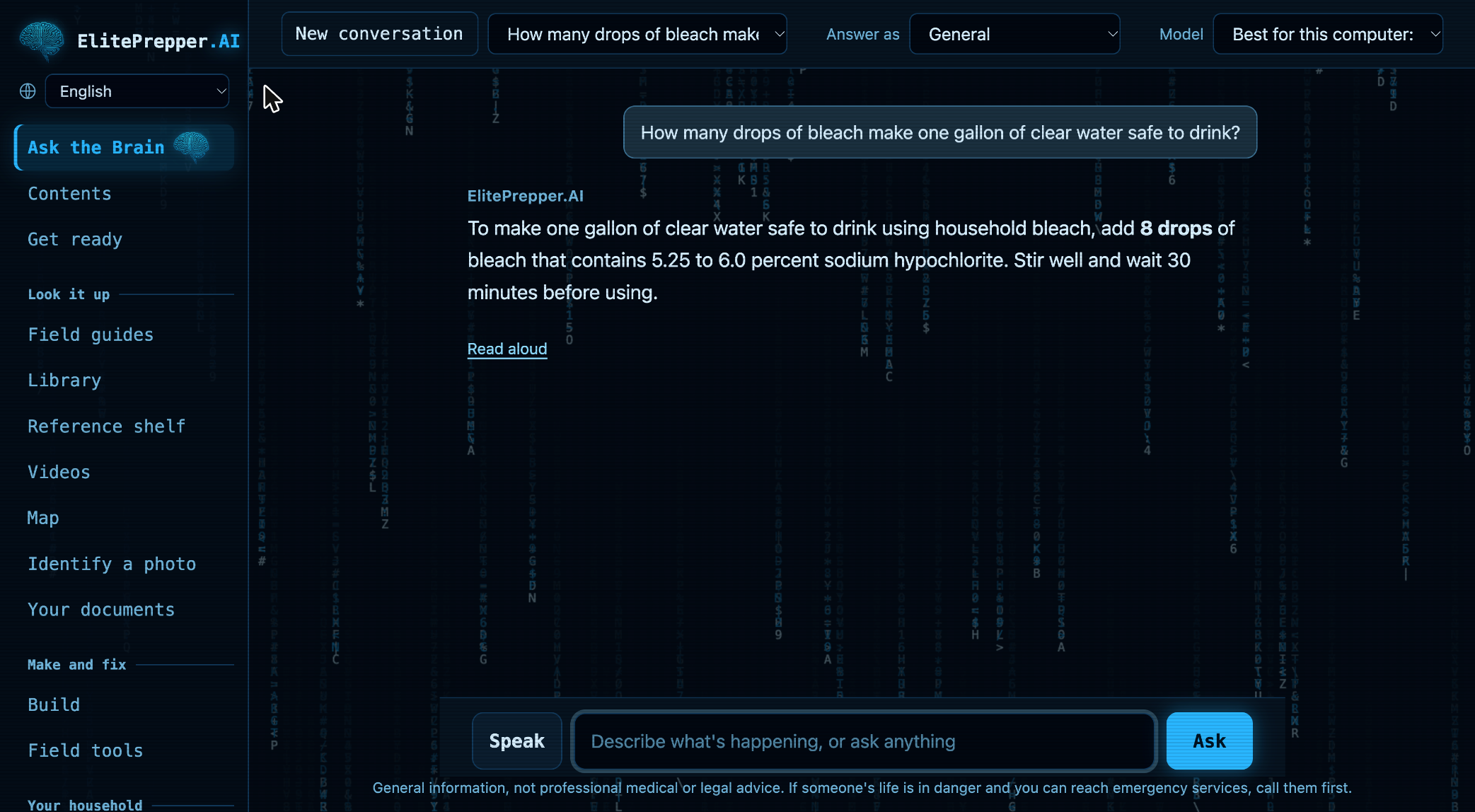
Ask how to make it safe to drink. It gives you the dose, the wait, and the method to use when you can't boil.
No bars
Open the map. Your pins, your routes out and every street between here and there are already on the drive.
01 / Ask the Brain
A hundred thousand pages are no help when you have ten minutes and one question. ElitePrepper.AI has already read them. Tell it what's going on and it tells you what to do next, straight from the guides and manuals on the drive.
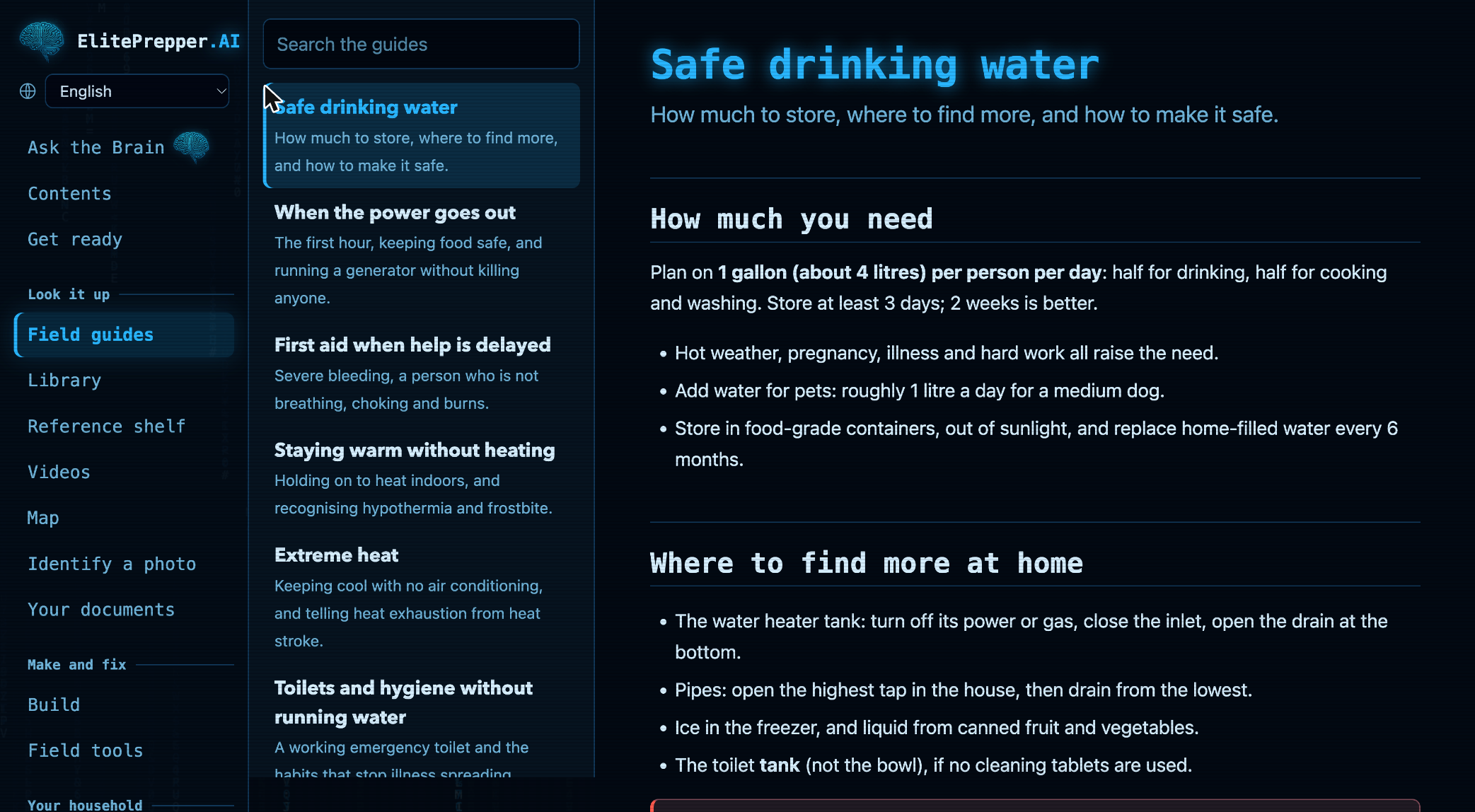
No menus to learn. Pick "The power is out", "The tap water isn't safe", "Someone is bleeding badly" or "We may have to leave". Or just type what you see in front of you.
02 / The library
Shelf after shelf of field manuals, technical manuals and handbooks, with the full text of Wikipedia behind them. Every word is searchable and none of it is online. Official sources are marked, so you always know where an answer came from.
There's a reference shelf of whole works too: textbooks, trade and home-repair references and instructional films.
03 / Maps
Street maps of all fifty states and Puerto Rico live on the drive, with satellite pictures down to house level for towns of 5,000 people or more. The first time you open it, save sharp aerial pictures of your own neighbourhood.
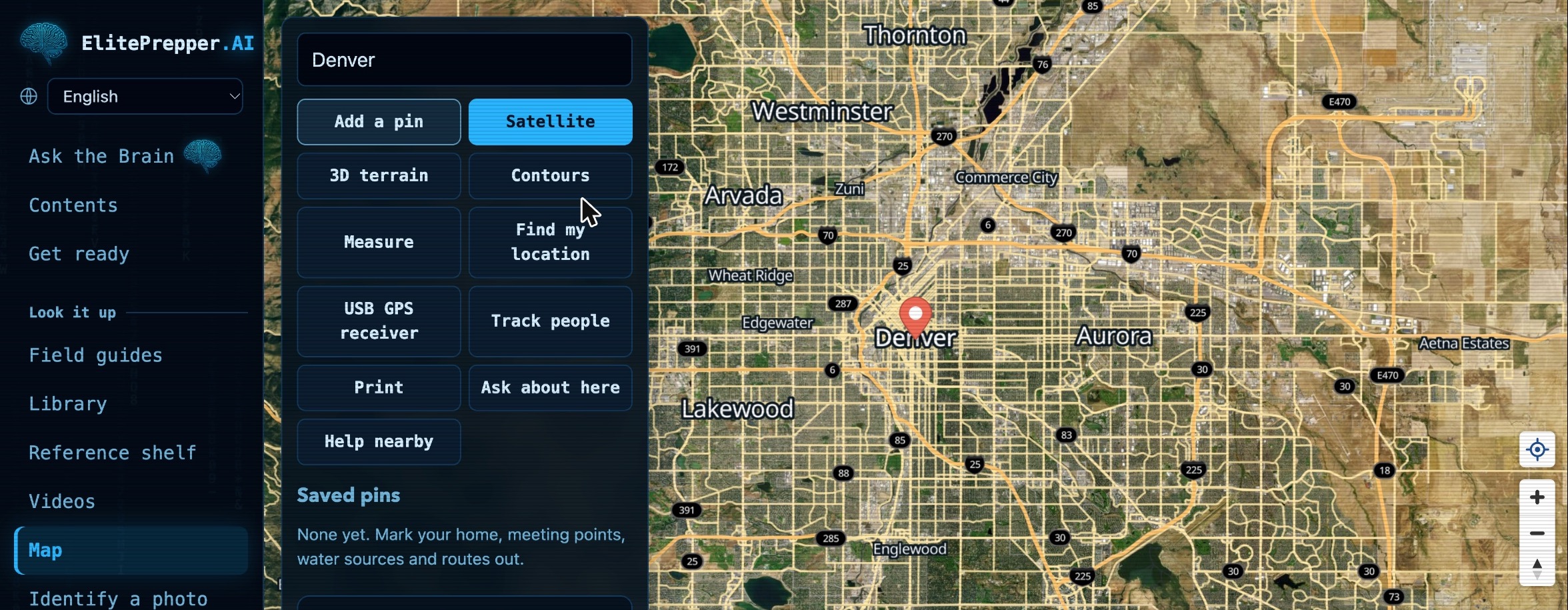
Pin your home, your meeting points, your water and your routes out. Measure distances. Plot a route between two towns.
Flip between street map, satellite, 3D terrain and contour lines. Get your position in latitude and longitude or as a military grid reference.
Print an atlas of your area, with numbered pages and an index. Paper still works when no screen does.
04 / Build
99 projects for water, shelter, power, sanitation, medical care and radio. Each one comes with a drawing, a parts list and steps you tick off as you go, and each prints as a full plan.
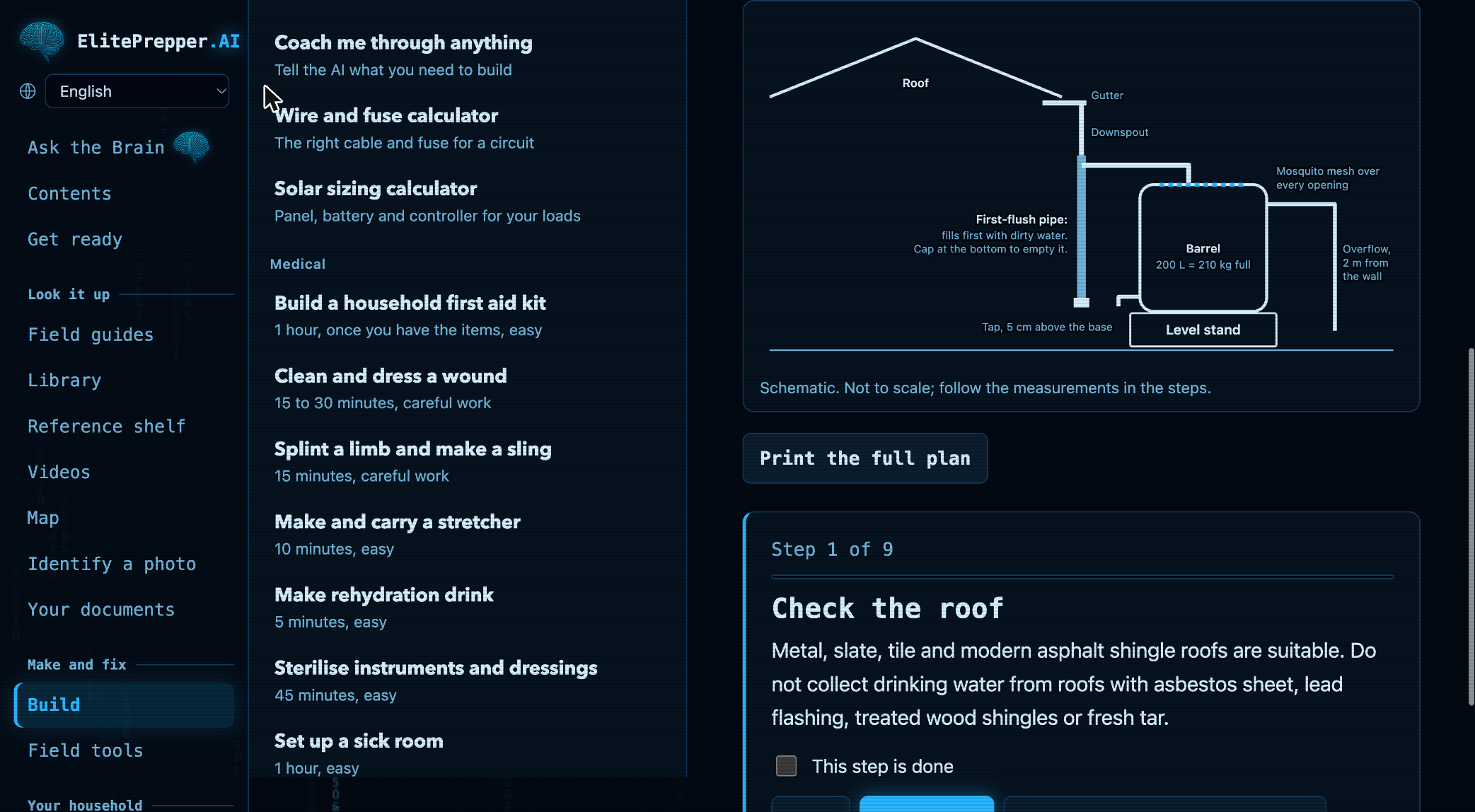
Not on the list? It'll coach you anyway. Say what you need to build and what you have to hand. The AI plans it with you, then waits at each step until you're ready.
Calculators for the numbers that can hurt you. Wire and fuse sizes and solar system sizing come from built-in calculators, not from a guess.
05 / Identify a photo
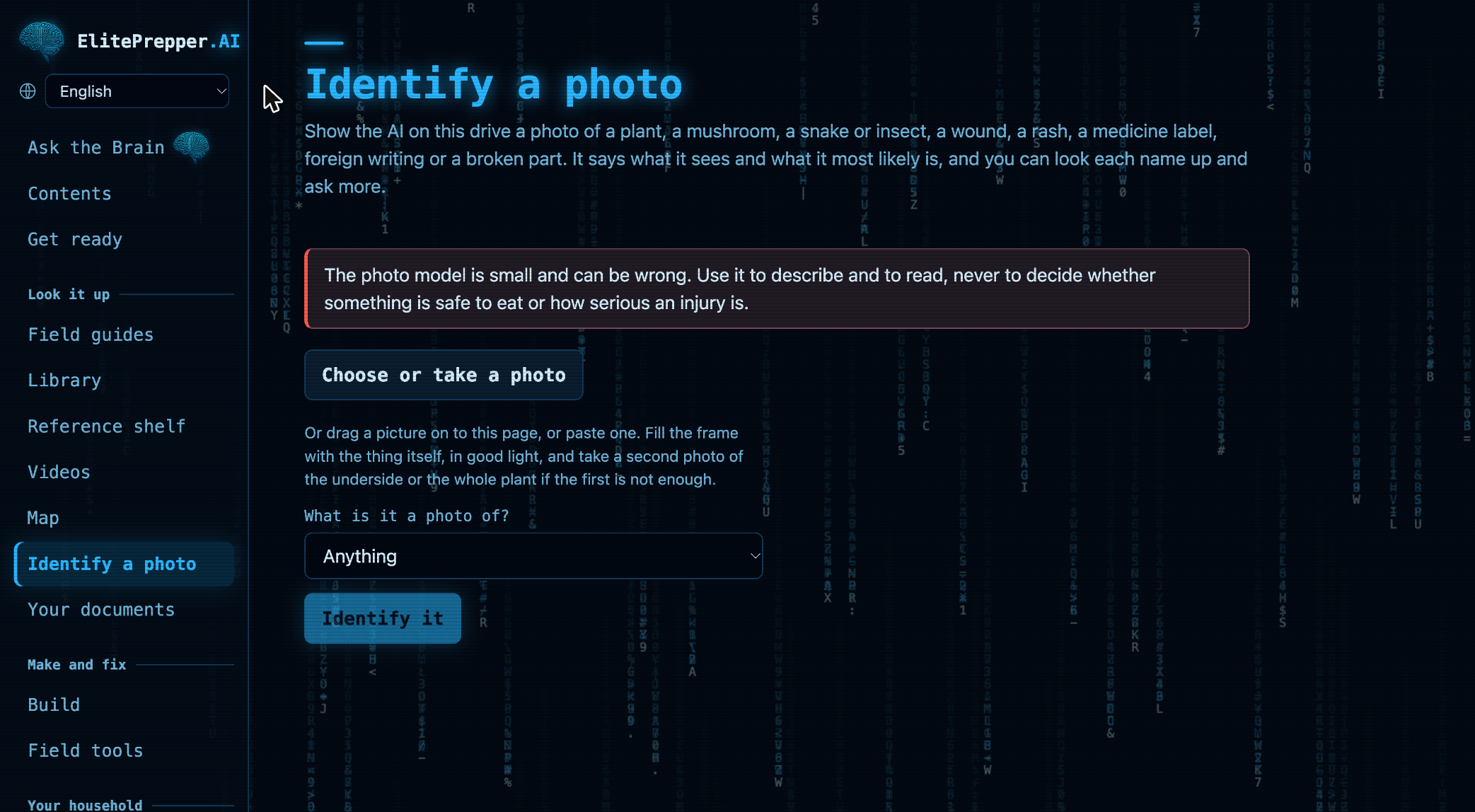
A plant, a mushroom, a snake, a wound, a rash, a medicine label, a broken part. Show it a picture and it describes what it sees, names the most likely match and flags poisonous lookalikes. It can read a label or a sign and translate foreign writing into English.
Photo identification can be wrong. Use it to describe and to read. Never use it to decide whether something is safe to eat or how serious an injury is. The drive tells you the same thing on screen.
06 / Your household
Tell it who lives with you. It works out what to store, counts down how long your supplies will last and prints a paper plan for every person in the house.
Simple adult figures, for illustration. On the drive the amounts adjust for each person's age and cover 66 supply items, from water and food to medicine, light and sanitation.
Pick how long you want to last, from three days to a year. It lists what to have in the house, with amounts for the people in your household, and prints as a shopping list.
Log your water, food, medicine and fuel. It tells you how many days they'll last the people in your house.
A printed plan, a wallet card for each person, your map and a shopping list.
Add the manuals for your generator, stove, filter and radio. The AI checks them first when you ask.
Phones and tablets on the same Wi-Fi can read the drive from the computer running it and post to a shared message board. No internet involved.
Deutsch, Español, Français, Italiano, Português, Tagalog, Tiếng Việt, Русский, 한국어, 中文.
What to get and what to plan, ticked off as you go, with your own pages for contacts and meeting points.
07 / How it works
Use the laptop or desktop you already own. There's nothing to install and no account to set up.
Start it from the launcher on the drive. The AI, the library and the maps all run right there on your computer.
Tell it what's happening. Or browse the guides, open the map, or start building.
A "Get ready" checklist covers the handful of things best done while the power and internet are still on: adding your household, marking your map, saving close-up pictures of your area and printing your family pack.
08 / Private by design
Not your questions, not your family's details, not your map pins. There's no account and no cloud to send them to.
Keep copies of passports, licences, insurance, deeds and prescriptions behind a passphrase only you know.
What you add stays on your own computer. Erase all of it in one step whenever you like.
09 / Straight talk
You're buying this for the worst day you can imagine. You deserve to know exactly where it stops.
10 / The drive
One drive. Everything on it. No tiers to compare and nothing held back for an upgrade.
256 GB drive
$99.99Black Friday week launch price, November 23 to 29
$129.99 from November 30. One payment, no subscription.
$129.99one payment, no subscription
No subscription. No account. Nothing to renew.
Add to your drive
Optional extras. The drive works without any of them.
Most popular
$129.99Black Friday, save $9.98
$159.99save $9.98
The drive, the shielded pouch and the hard case together. Packed once, ready to grab.
$79.99Black Friday, save $20
$99.99save $30
One for the house and one for the go-bag, or one for your parents. Same drive, same everything.
$14.99
A signal-blocking Faraday pouch sized for the drive. Keeps it shielded, scratch-free and easy to find.
$24.99
A crush-resistant case with a foam insert, sealed against rain and splashes. Holds the drive in its pouch.
$7.99
The drive has a standard USB plug. This lets it fit newer laptops that only have USB-C ports.
$4.99
If your order is lost or damaged on the way, we send a replacement.
11 / Questions
ElitePrepper.AI is an offline AI survival drive. It is a drive you plug into your computer that carries an AI assistant, a vast searchable library of government and military manuals, the full text of Wikipedia and the WikiMed medical encyclopedia, offline street maps of the United States and 99 step-by-step build projects. You ask a question in plain words and it answers, with no internet, no signal, no account and no subscription.
An offline library stores files and leaves you to find and read the right one. ElitePrepper.AI has an AI on the drive that reads the library for you and answers your question directly. It can also look at a photo, coach you through a build one step at a time and plan supplies for the people in your house.
Yes. The AI, the library, the maps and the build projects all live on the drive and run on your own computer. A few optional extras, like saving close-up aerial pictures of your area or this week's weather forecast, need the internet once. That's why the Get ready checklist has you do them now.
$129.99, paid once. The Black Friday week launch price is $99.99 from November 23 to November 29. That covers the 256 GB drive with everything on it. There is no subscription, no account and nothing to renew.
A laptop or desktop. The drive checks the computer you plug it into and tunes itself to match, so it runs on older machines and gets sharper on newer ones.
As a second screen, yes. Phones and tablets on the same Wi-Fi as the computer running the drive can read it and post to the shared message board. It doesn't run on a phone by itself.
No. You buy the drive once. There's no account and no subscription.
Mostly from official US government and military publications, plus the full text of Wikipedia and the WikiMed medical encyclopedia. Every source is credited on the drive.
Nothing is ever sent over the internet. What you add stays on your own computer. The vault is locked with your passphrase. Other saved items, such as conversations and notes, aren't encrypted, so anyone who can use your computer can read them.
Yes. Add your own manuals, instructions and notes, and the AI searches them first when it answers.
$99.99 for Black Friday week, November 23 to 29. One payment. No subscription. No account.